

Documentation Index
Fetch the complete documentation index at: https://narev.ai/docs/llms.txt
Use this file to discover all available pages before exploring further.
Use the benchmark hub
The public hub is a low-friction way to learn the benchmarking platform.About the hub
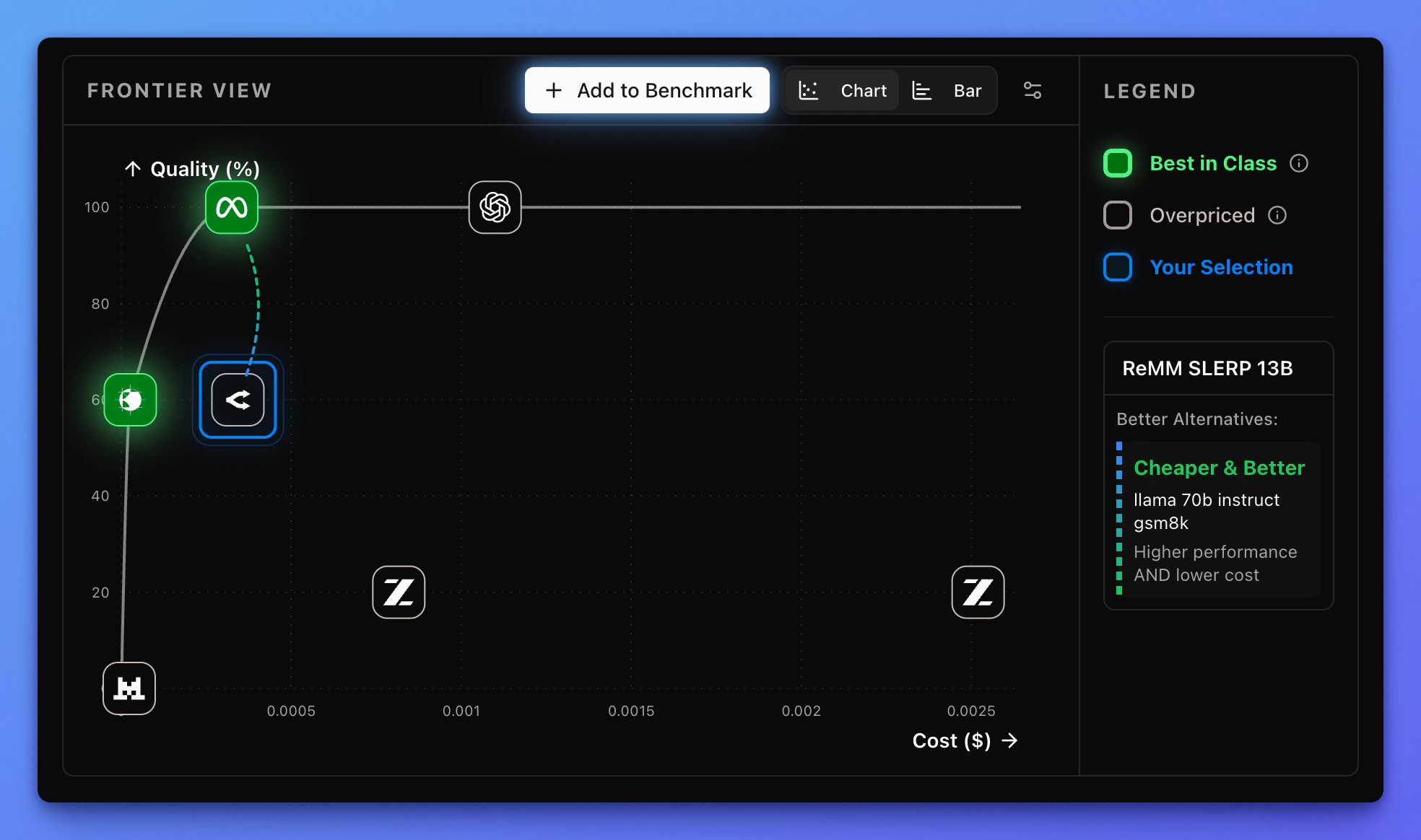
You can publish any benchmark you run on Narev Cloud to the Benchmark Hub. Visitors expand a public benchmark by adding a variant: a model with an optional system prompt and parameters. Narev Cloud calculates scores in the background and plots each variant on a chart that highlights:- Best in class models that deliver the best score for a given price point
- Overpriced models that score below expectations for a given price point
Add a variant to the hub
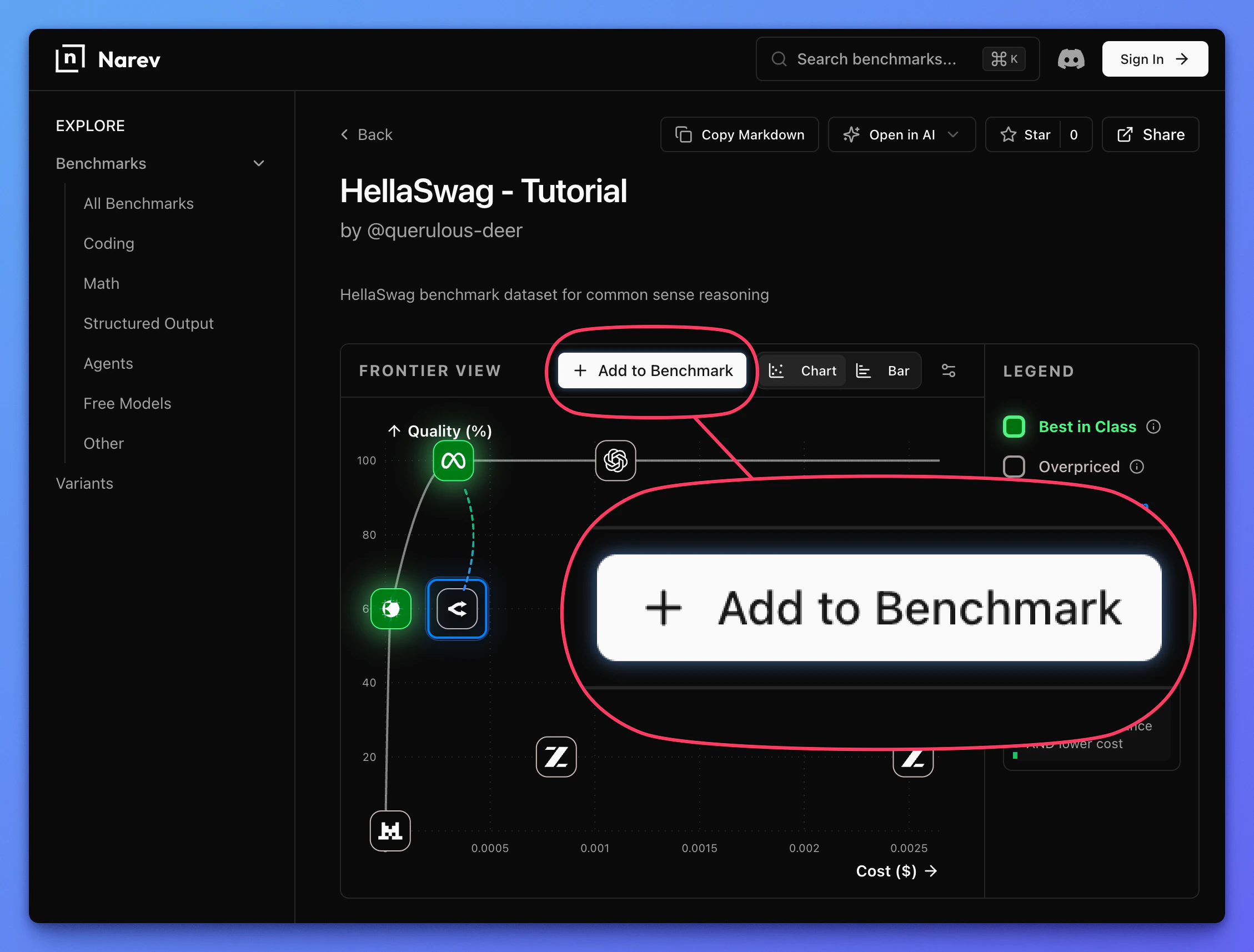
This tutorial uses a small benchmark with five prompts from the popular HellaSwag dataset. Follow the steps below to add your variant.Open the benchmark and variant sheet
Select the model and define parameters
The sheet lets you pick from many models and define the variant.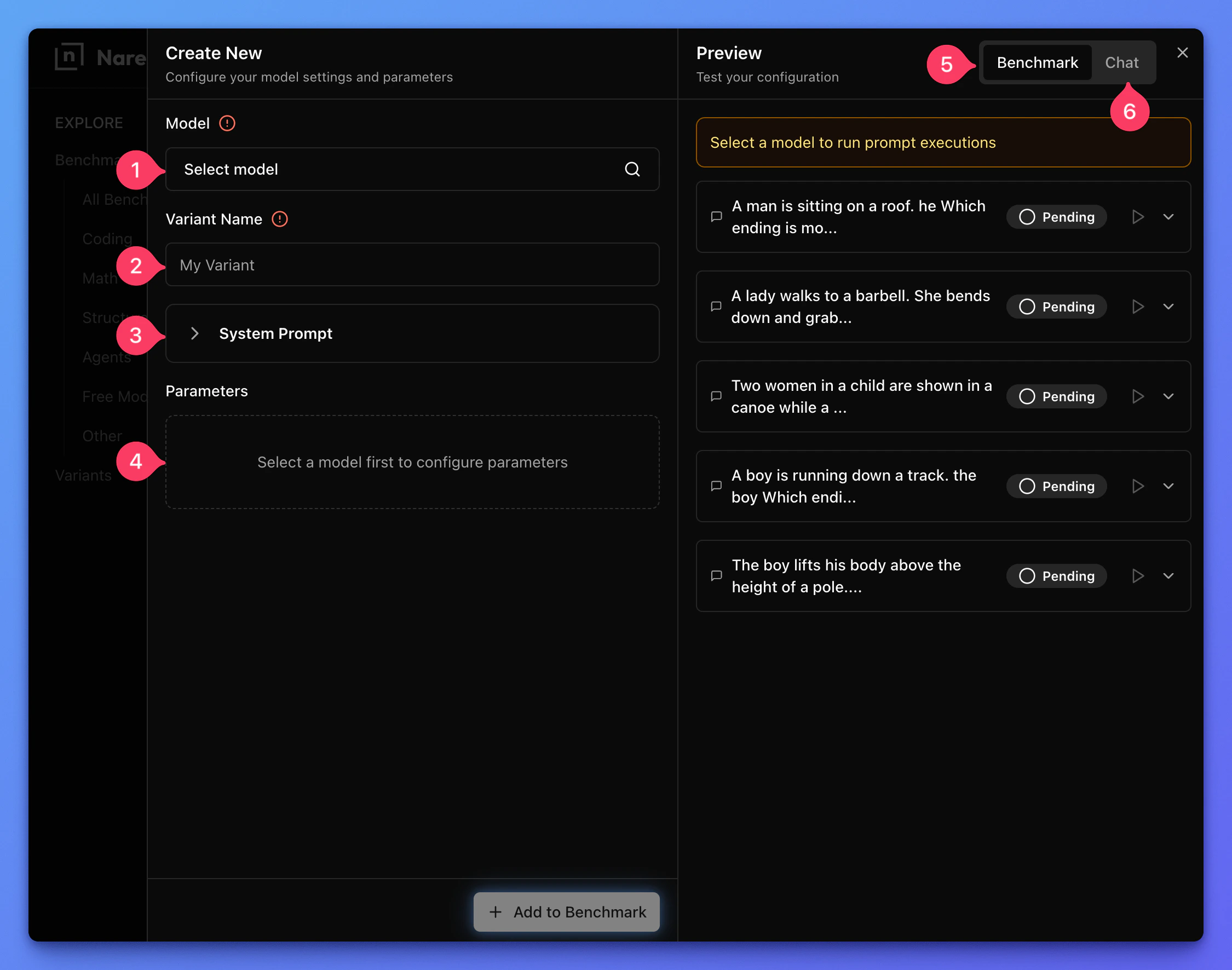
- Select a model. Use search and filters to narrow the list.
- Give your variant a descriptive name.
- (Optional) Set a system prompt.
- (Optional) Set model parameters.
- (Optional) Preview how your variant responds to the benchmark prompts.
- (Optional) Chat with the variant you configured.
Submit the variant
Click Add to benchmark.Narev Cloud runs every benchmark prompt against your variant and computes a score from price and response correctness.Your variant appears on the optimization chart and the leaderboard.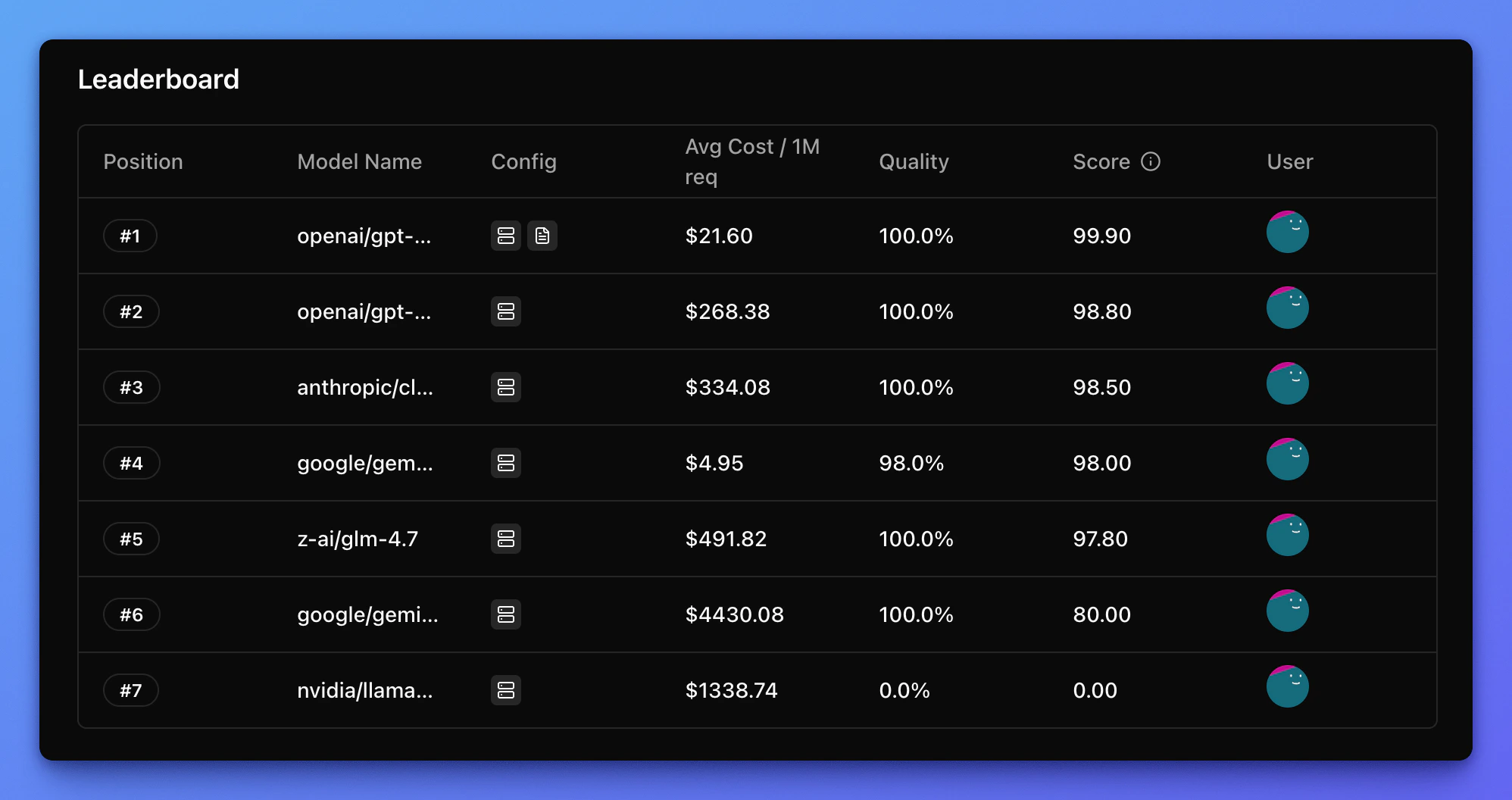
After scores finish computing, your variant appears on the chart and leaderboard.